
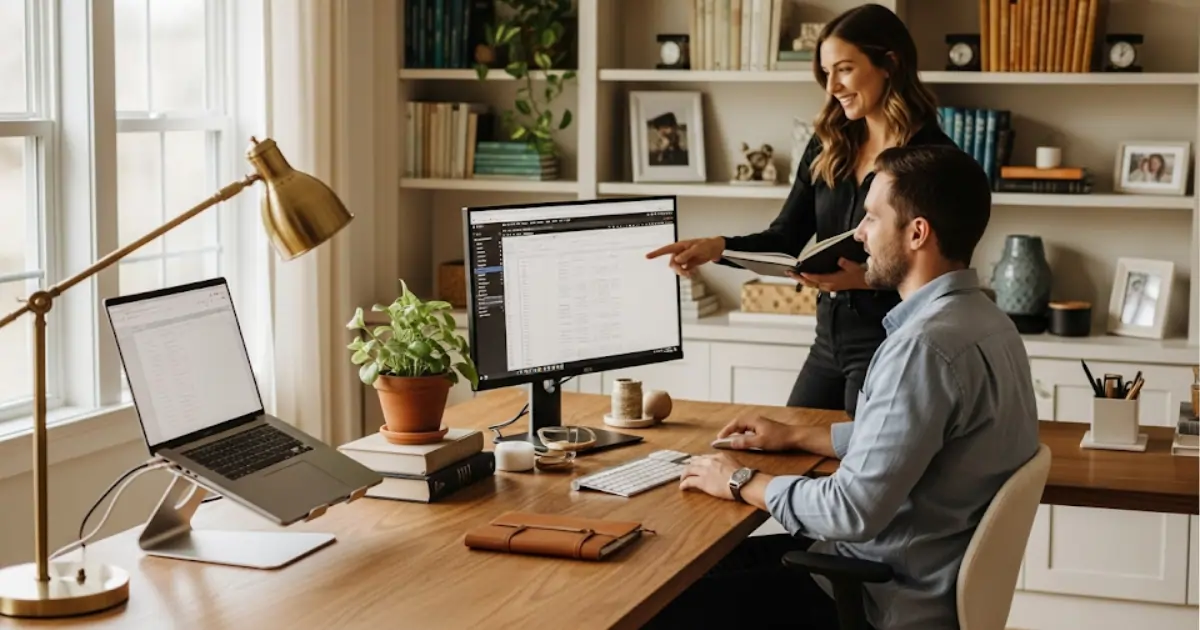
Home Office Organization
Working from home is no longer a temporary alternative but has become a reality for millions of professionals. Data from the Getulio Vargas Foundation (FGV) show that 30% of Brazilian workers worked remotely in 2023. However, without proper home office organization, the environment can become distracting, unproductive, and even harmful to your health. Organizing your home workspace goes beyond aesthetics: it involves efficiency, ergonomics, mental health, and work-life balance.
Why is it important to organize your home office?
A study by the Harvard Business Review showed that organized work environments increase productivity by up to 25%. In addition, proper ergonomics reduces health problems such as back, neck, and wrist pain.
👉 Practical example: A makeshift home office set up at the kitchen table can be distracting, while a dedicated, organized space helps you stay focused and keep your personal and professional lives separate.
Essential Elements of a Home Office
One of the essential elements of setting up a home office is a dedicated workspace. Having a separate space—even if it’s just a corner—helps create a physical and mental boundary between your personal and professional life. This space should be free of distractions, well-organized, and comfortable to promote concentration and productivity throughout the day.
Ergonomics is another essential factor in setting up a home office. An adjustable chair that provides lumbar support and a desk at the correct height reduce the risk of muscle pain and long-term injuries. In addition, proper positioning of the monitor, keyboard, and mouse is essential for maintaining good posture and preventing eye strain and neck tension.
Proper lighting is also crucial for an efficient home office setup. Natural light is ideal because it enhances well-being and improves mood. When that’s not possible, invest in high-quality artificial lighting, such as neutral white light bulbs, which reduce shadows and don’t cause eye strain.
Reliable technology is the foundation of remote work. Having a high-performance computer or laptop, high-speed internet access, and equipment such as quality headsets with microphones ensures uninterrupted meetings and greater efficiency in daily tasks.
Organizing your surroundings also makes a difference when setting up a home office. Shelves, drawers, and storage bins help keep documents, cables, and office supplies in order. A visually uncluttered space helps you stay focused and reduces feelings of overwhelm.
Another important factor is the availability of the right digital tools. Video conferencing platforms, task management apps, and team collaboration software facilitate communication and productivity, making remote work more efficient and integrated.
Thermal comfort should not be overlooked when setting up a home office. A space with a comfortable temperature and good ventilation or climate control is essential for preventing discomfort and distractions. Small adjustments, such as using fans, air conditioning, or heaters, help you stay focused.
Personalizing the space is also important. Decorative elements, such as plants, artwork, or inspirational objects, make the environment more welcoming and stimulate creativity. A space that reflects your professional identity fosters motivation and improves well-being.
Sticking to a schedule is a less tangible but equally essential element of working from home. Establishing a routine for when to start and end the workday helps maintain productivity and prevents work from encroaching on personal life, ensuring a balance between the different areas of life.
It’s important to take scheduled breaks. An efficient work-from-home setup includes time for stretching, staying hydrated, and relaxing. These breaks boost energy, reduce stress, and maintain the quality of your work throughout the day.
Dedicated space
Having a dedicated space, even if it’s small, helps separate “work” from “home.”
Ergonomic furniture
- An adjustable chair and a desk at the appropriate height.
- A laptop stand or a monitor positioned at eye level.👉 Important fact: The Brazilian Ergonomics Association states that improper chairs account for 30% of pain complaints among remote workers.
Proper lighting
Choose natural light. If you use artificial lighting, opt for white light bulbs.
Physical Organization Techniques
- Minimalism: Keep only what you need on the desk.
- Organizers: Use drawers, boxes, or shelves to store documents and supplies.
- Cable management: Securing cables prevents clutter and accidents.
👉 Example: Using a vertical document holder reduces the time wasted searching for documents by 40%, according to a study by OfficeTeam.
Digital Organization
Digital organization is essential for managing a home office and for handling the large amount of information we accumulate on electronic devices. Keeping files, emails, and data well-structured saves time and boosts productivity, since finding important documents becomes much simpler and faster. This practice contributes to a more efficient workflow and reduces the stress caused by digital disorganization.
One of the cornerstones of digital organization is creating a logical and intuitive folder structure. By defining clear categories and standardized names, it becomes easier to store and find files when needed. This strategy can be applied to both computers and cloud services, ensuring fast and secure access from anywhere.
Email management is another key point. Overflowing inboxes make it difficult to find relevant messages. Creating filters, folders, and labels to separate personal, professional, and informational messages helps keep your communication organized. In addition, periodically reviewing your inbox prevents unnecessary messages from piling up.
Regular maintenance of digital files is also important for keeping your home office organized. Deleting outdated or duplicate documents frees up space and makes it easier to use your devices. Setting aside time—weekly or monthly—for this cleanup prevents digital clutter from getting out of hand, keeping your systems running smoothly and efficiently.
Using cloud storage tools is an effective way to ensure secure access to files and prevent data loss in the event of technical issues. Services such as Google Drive, Dropbox, or OneDrive enable automatic synchronization, facilitating collaborative work and ensuring backups.
In addition to the cloud, it is essential to maintain a reliable backup plan when working from home. Storing backup copies on external devices or across multiple platforms reduces the risk of permanent data loss. This precaution is especially important for valuable personal files and critical professional documents.
Password management is also part of digital management and home office organization. Using password managers or secure systems helps keep credentials organized and prevent vulnerabilities. Using strong passwords and updating them regularly enhances the security of online accounts.
Another best practice is to standardize file names. Avoiding generic titles and using dates, keywords, or categories makes it easier to search for files later. This simple step saves time and prevents confusion, especially in work environments that involve a large number of documents.
Managing applications and software is equally important. Uninstalling programs that are no longer used and keeping only the essentials helps ensure good system performance. In addition, keeping applications up to date ensures security and provides new features.
Finally, staying organized digitally requires consistent discipline. Establishing routines—such as reviewing folders, updating backups, and clearing out your inbox—turns this practice into a sustainable habit. As a result, your digital life becomes simpler, safer, and more productive, allowing technology to work in your favor:
- Emails: Create folders and set up automatic rules to organize your messages.
- Files: Adopt a standard naming convention and use structured folders.
- Online tools: Google Drive, Notion, and Trello help with remote work.
Productivity While Working from Home
- Set fixed start and end times for the workday.
- Use techniques like the Pomodoro Technique to stay focused.
- Schedule strategic breaks to avoid fatigue.
👉 A study by Stanford University found that working from home can increase productivity by up to 13%, but only when the work environment is well-organized.
Work-Life Balance
One of the biggest challenges of working from home is keeping the two spheres separate.
- Create a ritual for the start of the workday (such as turning on the computer) and the end of the workday (such as closing the office door).
- Avoid working in places where you usually relax, such as your bed or the couch.
Challenges and Solutions
- Lack of space: Opt for multifunctional furniture and folding tables.
- Family distractions: Agree on household rules during working hours.
- Social isolation: Set aside time for virtual interactions with colleagues.
Your Home Office as an Ally
A well-organized home office turns remote work into a productive, healthy, and balanced experience. By investing in ergonomics, discipline, and organization, you improve not only your professional performance but also your quality of life.
See Also
Comments
Loading comments…
See also
 Organizing Your Home and Office for Greater Productivity and Well-Being | Vida Ideal Blog Shop
 Efficient Home Office | Vida Ideal Blog Shop
 Productivity and Finances: How to Manage Your Time and Money to Live a Better Life | Vida Ideal Blog Shop
 Designing a Space for Meetings and Calls | Vida Ideal Blog Shop
 Time Management and Productivity | Vida Ideal Blog Shop
 Time Management | Vida Ideal Blog Shop